How RemindLock works
Updated
When a reminder is due, the apps you chose (like Instagram, TikTok or games) lock, and they stay locked until you type "I did" and the reminder's title, reschedule it with a reason, or drop it.
It's built for people with ADHD, and anyone who swipes reminders away and forgets.
Screen Time permission
RemindLock asks for Apple's Screen Time permission for individuals, not parental controls. Nothing can lock without it.
The apps you pick are shown by Apple's own picker and handed to RemindLock as opaque tokens, so RemindLock never sees app names.
Picking apps
You choose which apps lock, for example Instagram, TikTok or games.
Onboarding suggests social media, games and video, and the choice is yours.
Making a reminder
A reminder needs only a title and a time, any time from now on.
The optional extras are a first tiny step ("What's the first tiny step?", e.g. "Open the tax folder") and a why ("Why does it matter?", e.g. "so I have clothes for Monday"), and how long it takes, picked on an hours-and-minutes wheel like the Clock app's.
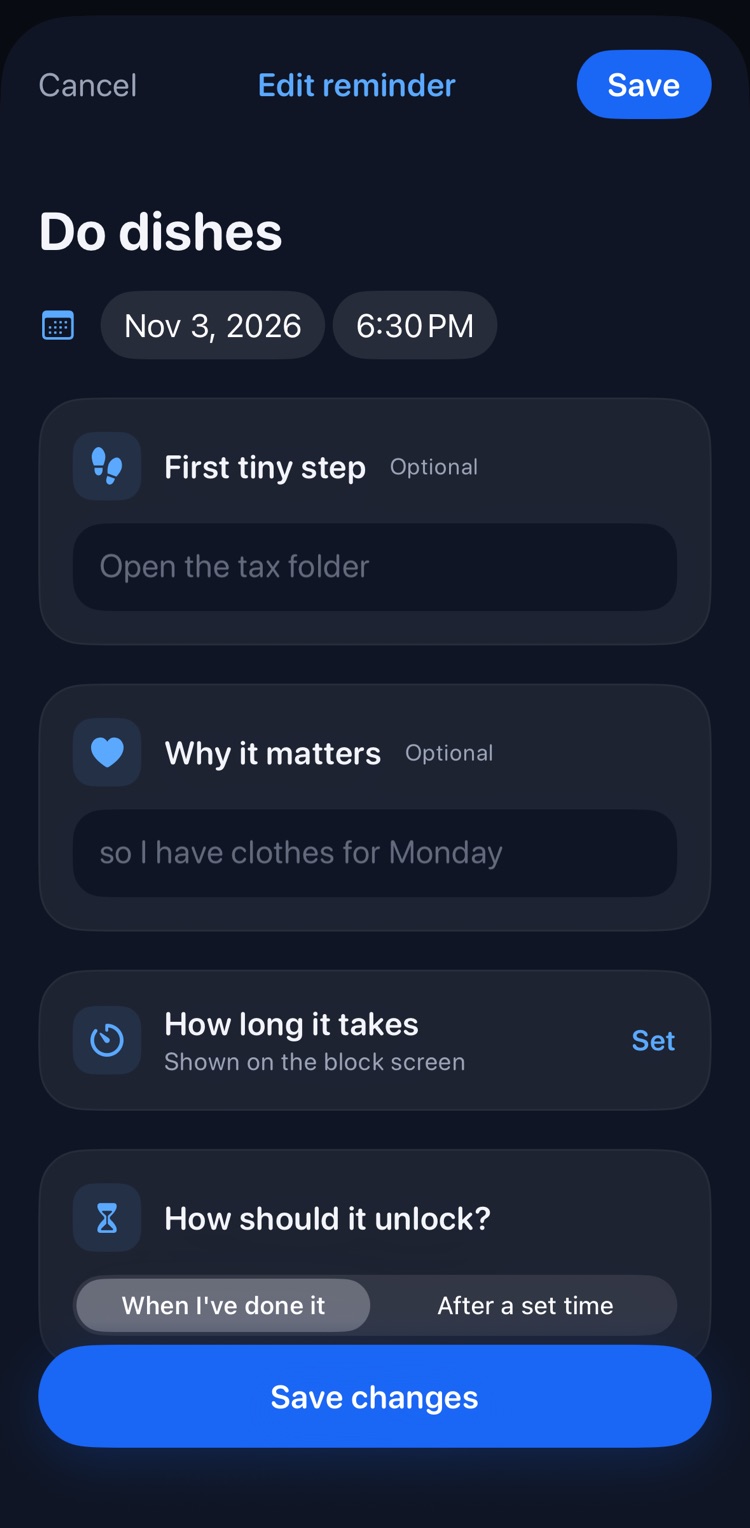
A normal notification also fires at the due time, and the lock stays until the reminder is resolved, unless you chose to lock for a set time instead (see Focus locks).
The block screen
This is what iOS shows when you open a locked app.
It keeps the text short: the first tiny step if set, otherwise the title, plus how long it takes if you set that, and one gentle line that changes each time, like "Instagram will be right here." or "Waiting since 5:29pm." Sometimes it shows your why instead.
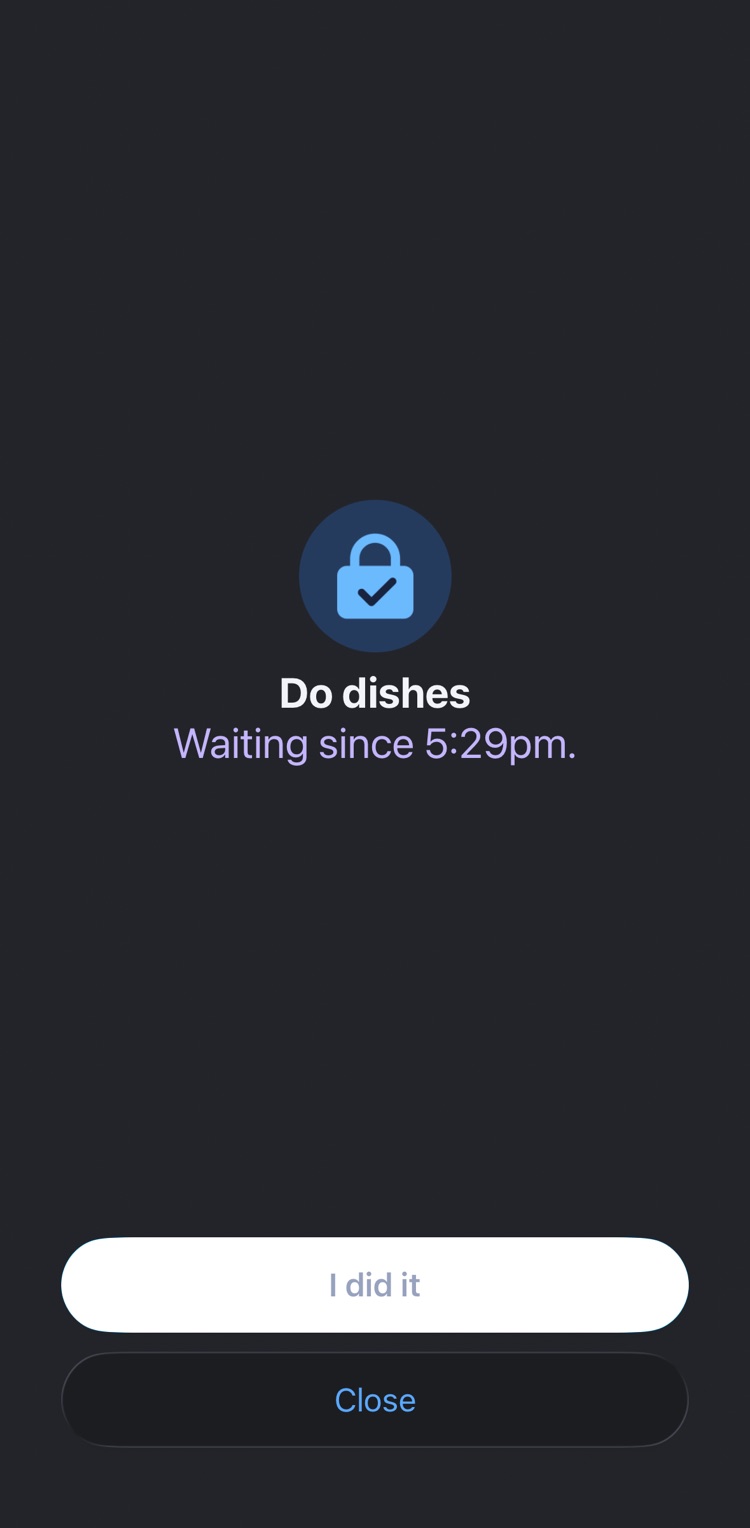
The main button says I did it. The second says Close, or Start timer when the reminder has a time estimate. iOS doesn't let a button open the app directly, so I did it and Start timer post a quiet notification, and tapping that opens RemindLock on the reminder.
If several reminders are overdue, apps stay locked until all of them are resolved, and the oldest shows first.
Unlocking by typing
Type "I did" plus the title (or the first tiny step); case, punctuation and extra spaces are ignored, and up to 2 typos are forgiven.
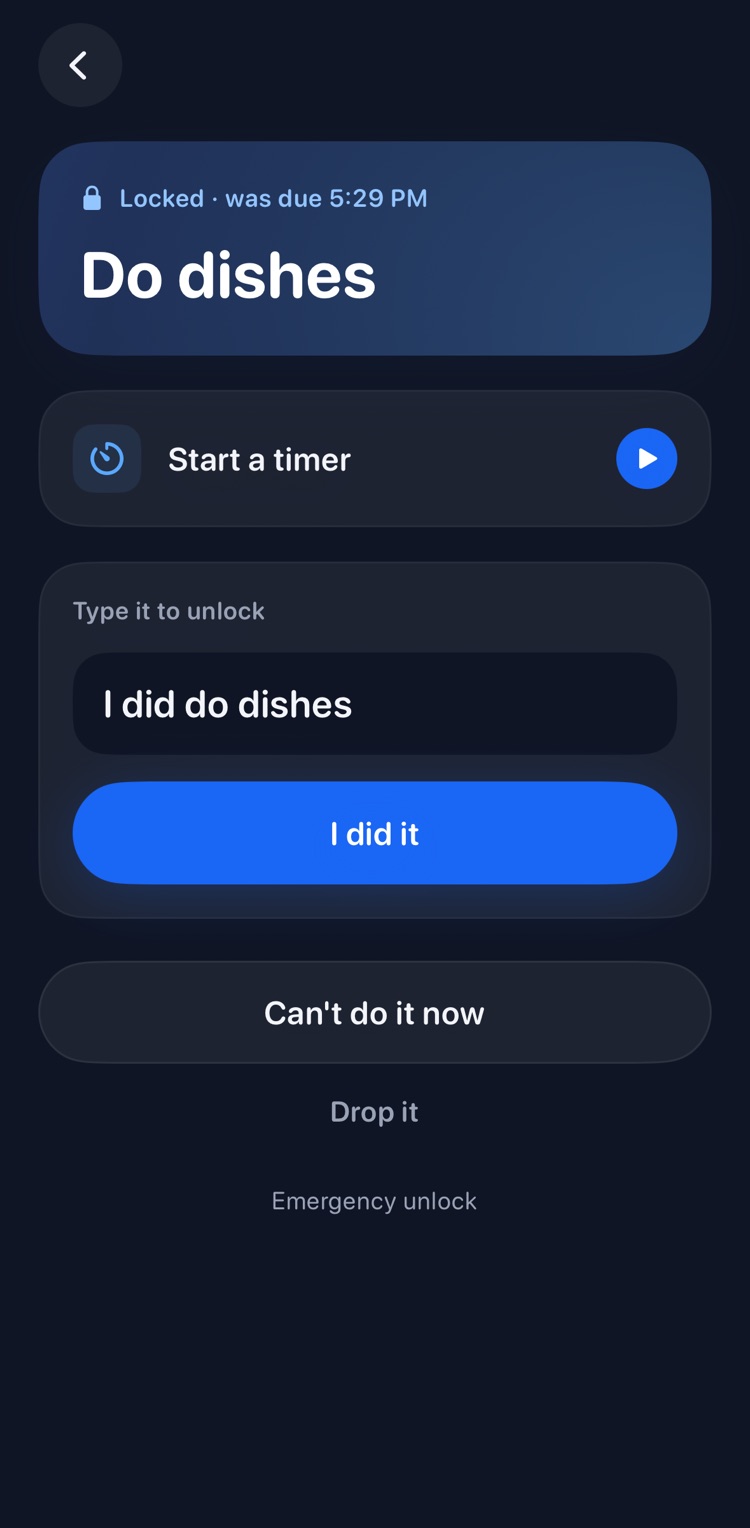
It unlocks immediately, after a short confirmation that repeats the why if there was one, for example "Laundry: clothes for Monday, handled."
Timing a task
Give a reminder an estimate ("how long it takes") and it shows on the block screen. Start a timer when you begin, from the reminder or right from the block screen, and typing "I did" stops it: "Finished in 7 min."
For repeating reminders, RemindLock learns from your timings and shows how long the task really takes.
Focus locks
Instead of locking until it's done, a reminder can lock for a set time, from 1 minute to 12 hours, and unlock on its own when time's up. Start one straight away with the timer button, e.g. "Work, 1 hour", or set a reminder to unlock after a set time.
A countdown in the app shows how long is left. Need longer? Tap Extend to add time, up to 12 hours from now. To stop early, type "I'm stopping" plus the title.
When a focus lock starts while RemindLock is open, a Live Activity shows the countdown on your Lock Screen and in the Dynamic Island. Tap it to go straight back to the countdown.
Unlocking by photo
For reminders set to photo, take a photo with the camera, not from the library.
There's no AI check, because taking the photo is the friction. See Privacy for what happens to the photo.
"Can't do it now"
Pick a specific new time at least 15 minutes out and type why not now; allowed twice per reminder (per occurrence for repeating ones).
Next time, your reason is shown back: "Last time you said: at work. Still moving it?"
On a third try you're asked "You've moved this 3 times. Make it smaller, or drop it?" Make it smaller means editing the title or first tiny step, which resets the count once.
These moves are framed as information, since the task may be too big or not worth doing, not as failure.
Dropping
Always available as a small link under Can't do it now: type "I'm dropping" plus the title, with the same forgiving matching.
It ends the lock, framed as a decision, not a failure.
The emergency unlock
Once a day, resetting at local midnight, and in the app only, not on the block screen; a one-tap escape there would become the new swipe-away.
It lifts all locks for 15 minutes, with a countdown, then they return on their own. It doesn't resolve or reschedule anything.
Strict mode
Optional, off by default, and explained before you turn it on.
While any lock is active, RemindLock can't be deleted, and lock sets, strict mode and Screen Time access can't be changed in the app. The emergency unlock still works.
What's never locked
Phone, Messages and the apps you mark as always allowed in Settings.
Apple Reminders
Optional and read-only: it brings in incomplete reminders that have a due date from the lists you pick, and they lock like native ones.
RemindLock never creates, edits, completes or deletes anything in Apple Reminders. Completing one there clears its lock on the next refresh.
Reminders that were already past due when they came over never lock. They wait on the Apple Reminders screen, where you can set a new time or dismiss them.
Weekly summary
A Sunday 6pm notification by default (adjustable) opens a summary of the last 7 days in neutral words.
It's shown as an example format, not a real stat: a week might read "Done 14 · moved 3 · dropped 1." Moved counts each reschedule.
No streaks, scores or comparison with last week.